Lo nuevo en Article Factory y lo último en el mundo de la IA generativa

How to Turn Off AI Features in Google Workspace and Services

How to Turn Off AI Features in Google Workspace and Services
Google has woven AI, powered by Gemini, into many of its core products such as Search, Gmail, Docs, and Calendar. While the features can be helpful, users who prefer to limit AI can adjust their settings to disable most of the smart capabilities. By navigating the Gmail settings and the Google Labs experiment, users can turn off Workspace smart features, reduce AI Overviews, and apply simple tricks like adding "-ai" to search queries. These steps allow a more traditional experience without permanently removing the ability to re‑enable the features later. Leer más →

How to Turn Off Apple Intelligence on iPhone, iPad, and Mac

How to Turn Off Apple Intelligence on iPhone, iPad, and Mac
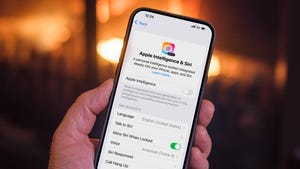
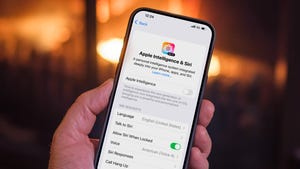
Apple Intelligence, the AI suite embedded in the latest iOS, iPadOS, and macOS releases, can be disabled entirely or fine‑tuned feature by feature. Users can manage the setting in the device’s Settings app, control storage impact, and adjust permissions through Screen Time. Surveys show mixed interest in AI features, with many users opting out. The guide explains how to locate the Apple Intelligence toggle, turn off specific tools like Image Playground, Genmoji, and message summaries, and manage related options such as Writing Tools and the ChatGPT Extension. Leer más →

How to Turn Off iOS 26’s Full‑Screen Screenshot Previews

How to Turn Off iOS 26’s Full‑Screen Screenshot Previews
Apple’s iOS 26 update makes screenshots open in a full‑screen preview that dominates the display, replacing the older temporary thumbnail in the lower‑left corner. Users who prefer the unobtrusive thumbnail can disable the new behavior in Settings by navigating to General → Screen Capture and turning off the Full‑Screen Previews toggle. The preview still offers quick tools such as cropping, annotation, Google image search, Apple Intelligence, and ChatGPT assistance, but the thumbnail can be restored for a less intrusive experience. Leer más →

How to Turn Off Apple Intelligence on iPhone, iPad, and Mac

How to Turn Off Apple Intelligence on iPhone, iPad, and Mac
Apple Intelligence, the AI suite embedded in the latest iOS, iPadOS, and macOS releases, can be disabled entirely or fine‑tuned feature by feature. Users can manage the setting in the device’s Settings app, control storage impact, and adjust permissions through Screen Time. Surveys show mixed interest in AI features, with many users opting out. The guide explains how to locate the Apple Intelligence toggle, turn off specific tools like Image Playground, Genmoji, and message summaries, and manage related options such as Writing Tools and the ChatGPT Extension. Leer más →
How to Turn Off Apple Intelligence on iPhone, iPad, and Mac

How to Turn Off Apple Intelligence on iPhone, iPad, and Mac
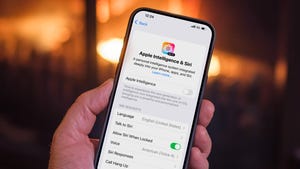
Apple Intelligence, the AI suite embedded in the latest iOS, iPadOS, and macOS releases, can be disabled entirely or fine‑tuned feature by feature. Users can manage the setting in the device’s Settings app, control storage impact, and adjust permissions through Screen Time. Surveys show mixed interest in AI features, with many users opting out. The guide explains how to locate the Apple Intelligence toggle, turn off specific tools like Image Playground, Genmoji, and message summaries, and manage related options such as Writing Tools and the ChatGPT Extension. Leer más →

How to Turn Off iOS 26’s Full‑Screen Screenshot Previews

How to Turn Off iOS 26’s Full‑Screen Screenshot Previews
Apple’s iOS 26 update makes screenshots open in a full‑screen preview that dominates the display, replacing the older temporary thumbnail in the lower‑left corner. Users who prefer the unobtrusive thumbnail can disable the new behavior in Settings by navigating to General → Screen Capture and turning off the Full‑Screen Previews toggle. The preview still offers quick tools such as cropping, annotation, Google image search, Apple Intelligence, and ChatGPT assistance, but the thumbnail can be restored for a less intrusive experience. Leer más →

How to Turn Off iOS 26’s Full‑Screen Screenshot Previews

How to Turn Off iOS 26’s Full‑Screen Screenshot Previews
Apple’s iOS 26 update makes screenshots open in a full‑screen preview that dominates the display, replacing the older temporary thumbnail in the lower‑left corner. Users who prefer the unobtrusive thumbnail can disable the new behavior in Settings by navigating to General → Screen Capture and turning off the Full‑Screen Previews toggle. The preview still offers quick tools such as cropping, annotation, Google image search, Apple Intelligence, and ChatGPT assistance, but the thumbnail can be restored for a less intrusive experience. Leer más →

How to Turn Off Apple Intelligence on iPhone, iPad, and Mac

How to Turn Off Apple Intelligence on iPhone, iPad, and Mac
Apple Intelligence, the AI suite embedded in the latest iOS, iPadOS, and macOS releases, can be disabled entirely or fine‑tuned feature by feature. Users can manage the setting in the device’s Settings app, control storage impact, and adjust permissions through Screen Time. Surveys show mixed interest in AI features, with many users opting out. The guide explains how to locate the Apple Intelligence toggle, turn off specific tools like Image Playground, Genmoji, and message summaries, and manage related options such as Writing Tools and the ChatGPT Extension. Leer más →
How to Turn Off iOS 26’s Full‑Screen Screenshot Previews

How to Turn Off iOS 26’s Full‑Screen Screenshot Previews
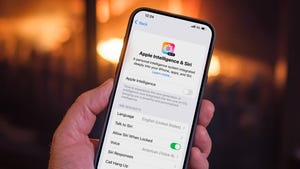
Apple’s iOS 26 update makes screenshots open in a full‑screen preview that dominates the display, replacing the older temporary thumbnail in the lower‑left corner. Users who prefer the unobtrusive thumbnail can disable the new behavior in Settings by navigating to General → Screen Capture and turning off the Full‑Screen Previews toggle. The preview still offers quick tools such as cropping, annotation, Google image search, Apple Intelligence, and ChatGPT assistance, but the thumbnail can be restored for a less intrusive experience. Leer más →

How to Turn Off iOS 26’s Full‑Screen Screenshot Previews

How to Turn Off iOS 26’s Full‑Screen Screenshot Previews
Apple’s iOS 26 update makes screenshots open in a full‑screen preview that dominates the display, replacing the older temporary thumbnail in the lower‑left corner. Users who prefer the unobtrusive thumbnail can disable the new behavior in Settings by navigating to General → Screen Capture and turning off the Full‑Screen Previews toggle. The preview still offers quick tools such as cropping, annotation, Google image search, Apple Intelligence, and ChatGPT assistance, but the thumbnail can be restored for a less intrusive experience. Leer más →

How to Turn Off Apple Intelligence on iPhone, iPad, and Mac

How to Turn Off Apple Intelligence on iPhone, iPad, and Mac
Apple Intelligence, the AI suite embedded in the latest iOS, iPadOS, and macOS releases, can be disabled entirely or fine‑tuned feature by feature. Users can manage the setting in the device’s Settings app, control storage impact, and adjust permissions through Screen Time. Surveys show mixed interest in AI features, with many users opting out. The guide explains how to locate the Apple Intelligence toggle, turn off specific tools like Image Playground, Genmoji, and message summaries, and manage related options such as Writing Tools and the ChatGPT Extension. Leer más →