What is new on Article Factory and latest in generative AI world

Apple’s Genmoji Lets iPhone Users Create Custom Emojis

Apple’s Genmoji Lets iPhone Users Create Custom Emojis
Apple introduced Genmoji, an on‑device emoji generator that works with iPhones equipped with Apple Intelligence. Users can type a description in Messages, receive a set of generated emojis, and add their favorite to the keyboard as an emoji, tapback, or sticker. The feature initially launched on newer iPhone models and is also being tested in the beta version of the next iOS release, where users can combine existing emojis to craft new ones. Genmoji expands personalization options for messaging without waiting for Unicode updates. Leia mais →

iOS 26 Brings New Apple Intelligence Features to iPhone Users

iOS 26 Brings New Apple Intelligence Features to iPhone Users
Apple's iOS 26 update introduces a suite of Apple Intelligence tools that aim to make everyday tasks more seamless. Live Translation adds real‑time language conversion to Messages, FaceTime and phone calls. Genmoji and Image Playground receive upgrades that let users create custom emojis and generate AI‑enhanced artwork. Visual Intelligence can now scan the screen to retrieve information and act on screenshots. Developers gain access to Apple’s foundation models, enabling third‑party apps to embed AI without additional costs. Finally, the Shortcuts app incorporates Apple Intelligence, opening new possibilities for automated actions. The update is free for compatible devices. Leia mais →

How to Turn Off Apple Intelligence on iPhone, iPad, and Mac

How to Turn Off Apple Intelligence on iPhone, iPad, and Mac
Apple Intelligence, the AI suite embedded in the latest iOS, iPadOS, and macOS releases, can be disabled entirely or fine‑tuned feature by feature. Users can manage the setting in the device’s Settings app, control storage impact, and adjust permissions through Screen Time. Surveys show mixed interest in AI features, with many users opting out. The guide explains how to locate the Apple Intelligence toggle, turn off specific tools like Image Playground, Genmoji, and message summaries, and manage related options such as Writing Tools and the ChatGPT Extension. Leia mais →

Apple’s Genmoji Lets iPhone Users Create Custom Emojis

Apple’s Genmoji Lets iPhone Users Create Custom Emojis
Apple introduced Genmoji, an on‑device emoji generator that works with iPhones equipped with Apple Intelligence. Users can type a description in Messages, receive a set of generated emojis, and add their favorite to the keyboard as an emoji, tapback, or sticker. The feature initially launched on newer iPhone models and is also being tested in the beta version of the next iOS release, where users can combine existing emojis to craft new ones. Genmoji expands personalization options for messaging without waiting for Unicode updates. Leia mais →

Apple’s Genmoji Lets iPhone Users Create Custom Emojis

Apple’s Genmoji Lets iPhone Users Create Custom Emojis
Apple introduced Genmoji, an on‑device emoji generator that works with iPhones equipped with Apple Intelligence. Users can type a description in Messages, receive a set of generated emojis, and add their favorite to the keyboard as an emoji, tapback, or sticker. The feature initially launched on newer iPhone models and is also being tested in the beta version of the next iOS release, where users can combine existing emojis to craft new ones. Genmoji expands personalization options for messaging without waiting for Unicode updates. Leia mais →

iOS 26 Brings New Apple Intelligence Features to iPhone Users

iOS 26 Brings New Apple Intelligence Features to iPhone Users
Apple's iOS 26 update introduces a suite of Apple Intelligence tools that aim to make everyday tasks more seamless. Live Translation adds real‑time language conversion to Messages, FaceTime and phone calls. Genmoji and Image Playground receive upgrades that let users create custom emojis and generate AI‑enhanced artwork. Visual Intelligence can now scan the screen to retrieve information and act on screenshots. Developers gain access to Apple’s foundation models, enabling third‑party apps to embed AI without additional costs. Finally, the Shortcuts app incorporates Apple Intelligence, opening new possibilities for automated actions. The update is free for compatible devices. Leia mais →

iOS 26 Brings New Apple Intelligence Features to iPhone Users

iOS 26 Brings New Apple Intelligence Features to iPhone Users
Apple's iOS 26 update introduces a suite of Apple Intelligence tools that aim to make everyday tasks more seamless. Live Translation adds real‑time language conversion to Messages, FaceTime and phone calls. Genmoji and Image Playground receive upgrades that let users create custom emojis and generate AI‑enhanced artwork. Visual Intelligence can now scan the screen to retrieve information and act on screenshots. Developers gain access to Apple’s foundation models, enabling third‑party apps to embed AI without additional costs. Finally, the Shortcuts app incorporates Apple Intelligence, opening new possibilities for automated actions. The update is free for compatible devices. Leia mais →

How to Turn Off Apple Intelligence on iPhone, iPad, and Mac

How to Turn Off Apple Intelligence on iPhone, iPad, and Mac
Apple Intelligence, the AI suite embedded in the latest iOS, iPadOS, and macOS releases, can be disabled entirely or fine‑tuned feature by feature. Users can manage the setting in the device’s Settings app, control storage impact, and adjust permissions through Screen Time. Surveys show mixed interest in AI features, with many users opting out. The guide explains how to locate the Apple Intelligence toggle, turn off specific tools like Image Playground, Genmoji, and message summaries, and manage related options such as Writing Tools and the ChatGPT Extension. Leia mais →
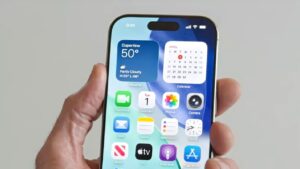
How to Turn Off Apple Intelligence on iPhone, iPad, and Mac

How to Turn Off Apple Intelligence on iPhone, iPad, and Mac
Apple Intelligence, the AI suite embedded in the latest iOS, iPadOS, and macOS releases, can be disabled entirely or fine‑tuned feature by feature. Users can manage the setting in the device’s Settings app, control storage impact, and adjust permissions through Screen Time. Surveys show mixed interest in AI features, with many users opting out. The guide explains how to locate the Apple Intelligence toggle, turn off specific tools like Image Playground, Genmoji, and message summaries, and manage related options such as Writing Tools and the ChatGPT Extension. Leia mais →

Apple’s Genmoji Lets iPhone Users Create Custom Emojis

Apple’s Genmoji Lets iPhone Users Create Custom Emojis
Apple introduced Genmoji, an on‑device emoji generator that works with iPhones equipped with Apple Intelligence. Users can type a description in Messages, receive a set of generated emojis, and add their favorite to the keyboard as an emoji, tapback, or sticker. The feature initially launched on newer iPhone models and is also being tested in the beta version of the next iOS release, where users can combine existing emojis to craft new ones. Genmoji expands personalization options for messaging without waiting for Unicode updates. Leia mais →

iOS 26 Brings New Apple Intelligence Features to iPhone Users

iOS 26 Brings New Apple Intelligence Features to iPhone Users
Apple's iOS 26 update introduces a suite of Apple Intelligence tools that aim to make everyday tasks more seamless. Live Translation adds real‑time language conversion to Messages, FaceTime and phone calls. Genmoji and Image Playground receive upgrades that let users create custom emojis and generate AI‑enhanced artwork. Visual Intelligence can now scan the screen to retrieve information and act on screenshots. Developers gain access to Apple’s foundation models, enabling third‑party apps to embed AI without additional costs. Finally, the Shortcuts app incorporates Apple Intelligence, opening new possibilities for automated actions. The update is free for compatible devices. Leia mais →

How to Turn Off Apple Intelligence on iPhone, iPad, and Mac

How to Turn Off Apple Intelligence on iPhone, iPad, and Mac
Apple Intelligence, the AI suite embedded in the latest iOS, iPadOS, and macOS releases, can be disabled entirely or fine‑tuned feature by feature. Users can manage the setting in the device’s Settings app, control storage impact, and adjust permissions through Screen Time. Surveys show mixed interest in AI features, with many users opting out. The guide explains how to locate the Apple Intelligence toggle, turn off specific tools like Image Playground, Genmoji, and message summaries, and manage related options such as Writing Tools and the ChatGPT Extension. Leia mais →

How to Turn Off Apple Intelligence on iPhone, iPad, and Mac

How to Turn Off Apple Intelligence on iPhone, iPad, and Mac
Apple Intelligence, the AI suite embedded in the latest iOS, iPadOS, and macOS releases, can be disabled entirely or fine‑tuned feature by feature. Users can manage the setting in the device’s Settings app, control storage impact, and adjust permissions through Screen Time. Surveys show mixed interest in AI features, with many users opting out. The guide explains how to locate the Apple Intelligence toggle, turn off specific tools like Image Playground, Genmoji, and message summaries, and manage related options such as Writing Tools and the ChatGPT Extension. Leia mais →

iOS 26 Brings New Apple Intelligence Features to iPhone Users

iOS 26 Brings New Apple Intelligence Features to iPhone Users
Apple's iOS 26 update introduces a suite of Apple Intelligence tools that aim to make everyday tasks more seamless. Live Translation adds real‑time language conversion to Messages, FaceTime and phone calls. Genmoji and Image Playground receive upgrades that let users create custom emojis and generate AI‑enhanced artwork. Visual Intelligence can now scan the screen to retrieve information and act on screenshots. Developers gain access to Apple’s foundation models, enabling third‑party apps to embed AI without additional costs. Finally, the Shortcuts app incorporates Apple Intelligence, opening new possibilities for automated actions. The update is free for compatible devices. Leia mais →

Apple’s Genmoji Lets iPhone Users Create Custom Emojis

Apple’s Genmoji Lets iPhone Users Create Custom Emojis
Apple introduced Genmoji, an on‑device emoji generator that works with iPhones equipped with Apple Intelligence. Users can type a description in Messages, receive a set of generated emojis, and add their favorite to the keyboard as an emoji, tapback, or sticker. The feature initially launched on newer iPhone models and is also being tested in the beta version of the next iOS release, where users can combine existing emojis to craft new ones. Genmoji expands personalization options for messaging without waiting for Unicode updates. Leia mais →